
Demo: Fill In a Government Benefits Form by Voice
A family support application for a fictional province that fills itself in as you talk to Ava, its virtual assistant. You stay in control of every answer and tick the declaration yourself.
Try the live demo
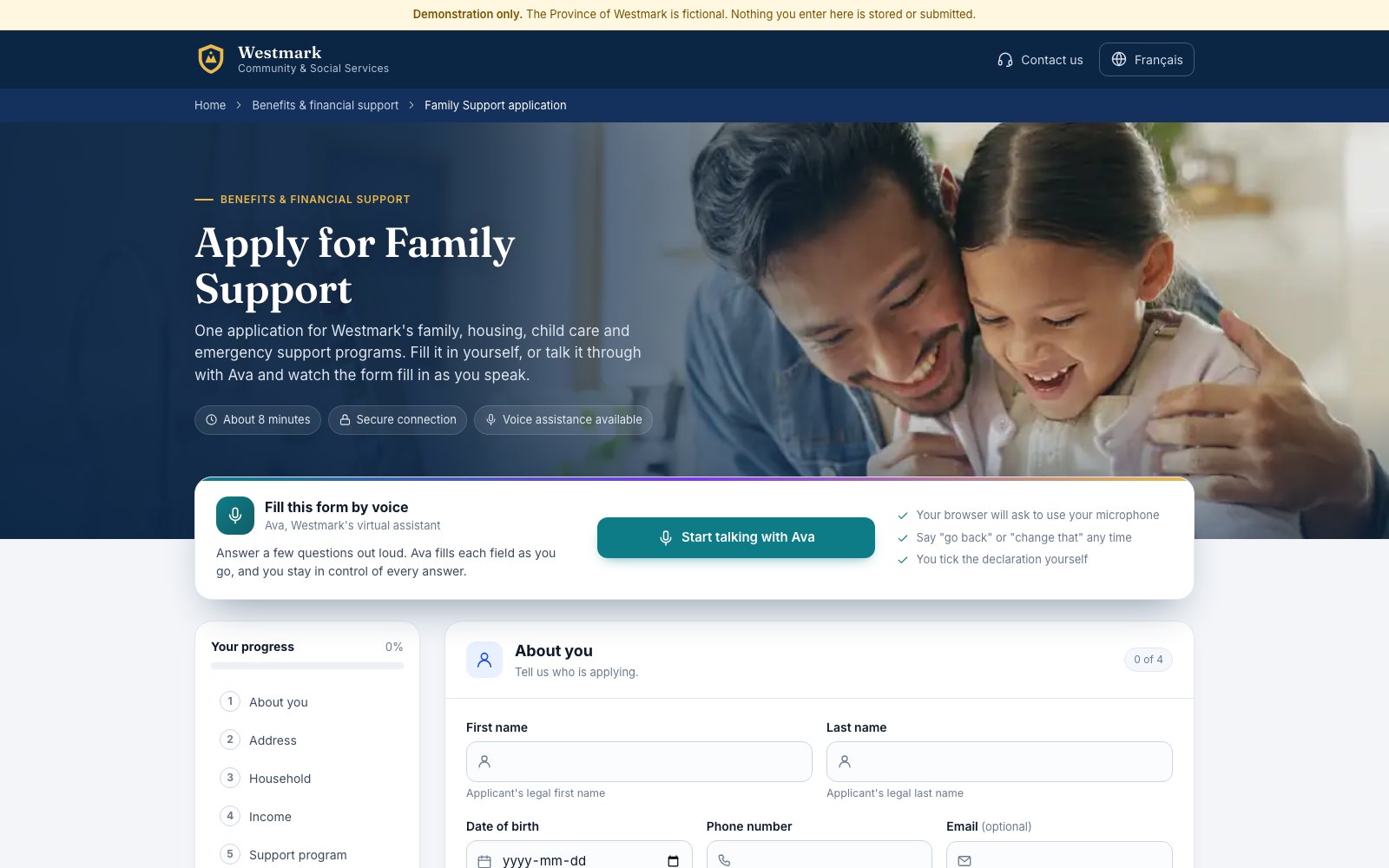
Westmark is a fictional province, and this is its Family Support application: one form for family, housing, child care and emergency support programs. Fill it in yourself, or click Start talking with Ava and answer her questions out loud. Each field fills in as you speak.
Nothing you enter is stored or submitted. Your browser will ask to use your microphone.
What to notice
- Ava works through eight sections, from your details and address to household, income and the program you need
- Say "go back" or "change that" at any time to correct an answer
- Ava fills fields, picks options from lists and moves you through the form, while your progress updates as you go
- The applicant ticks the declaration, not the assistant
- Ask Ava for a caseworker and she explains how to reach one
Why it matters for public services
Long forms are where people get stuck, call in or give up. A voice assistant that fills the form with the applicant, rather than for them, keeps the official record and the person in control, and frees caseworkers for the cases that need them.
Built on Amazon Connect Customer with the agentic CX designer and Live Sync.
Want a demo like this for your customers?
Tell us the journey you want to fix and we will show you what it looks like on Amazon Connect Customer.
Contact us
Talk to the Serve7 team.
Tell us what you are working on and we will get back to you within one business day.
Already a customer and need help? Create a support ticket.
Thanks, we have your message.
Someone from the Serve7 team will get back to you within one business day.